- Home
- atlasDrive
Every document your business runs on. One secure drive.
atlasDrive is a full document drive built into atlasHR and WfMHub: folders, versions, sharing by person, team, site or role, protected links, private folders for every employee, built-in editors and e-signatures, with plans up to 5 TB.
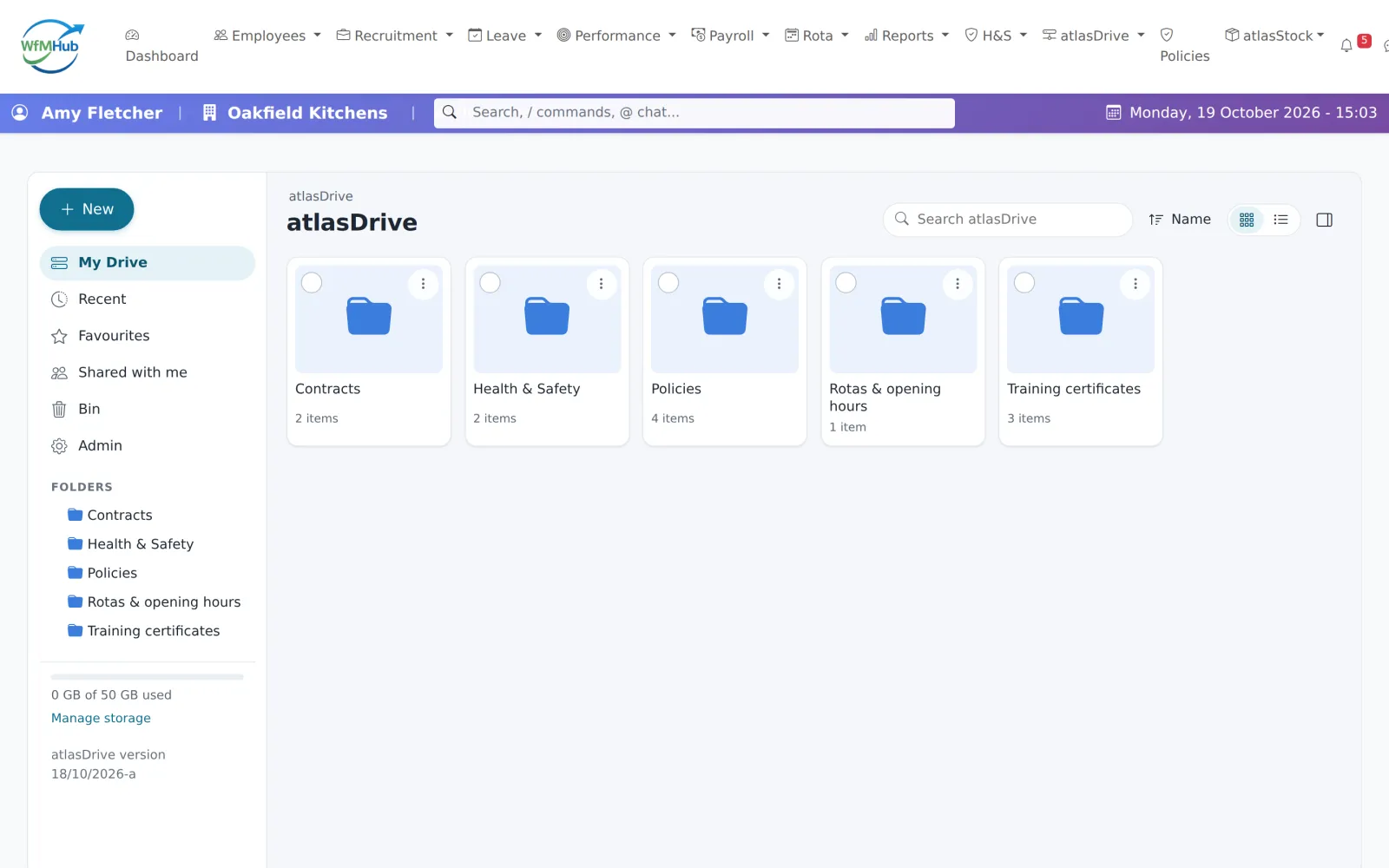
Not an attachments tab. A proper drive.
Everything you expect from a modern drive, plus the HR controls a general-purpose drive doesn't have.
Folders, drag and drop
Drag in files and whole folders, preview them in the browser, and switch between grid and list views.
Versions, bin & restore
Every file keeps its history to open or restore, and deleted files wait in the bin for 30 to 180 days by plan.
Share by team, site or role
Give viewer, contributor, editor or owner access to a person, department, team, site, role or everyone, inherited down folders.
Protected share links
Share outside the business by link with an expiry date, plus passwords and download limits on Plus and above.
A private folder for everyone
Each employee has their own My Documents. On Professional and Enterprise, admins can open one only with a reason, and every look is logged.
HR records, filed for you
Fit notes, leave documents, receipts, CVs and shift documents appear in each employee's HR records folder automatically.
E-signatures built in
On Professional and Enterprise: around 46 field types, UK-checked NI number, sort code and postcode fields, several signers and a certificate of completion.
atlasDoc & atlasCalc
Write documents and spreadsheets in the browser with autosave, export documents to PDF or Word, and let DAVE help you write.
Expiry reminders
Put an expiry date on certificates, licences or contracts and get reminders 60, 30, 14, 7 and 1 days before, and on the day.
Policies staff confirm
Publish a policy and staff read and confirm it in the app, with a record of who has acknowledged each version.
Find anything
Search file names and the words inside atlasDoc documents, with Recent, Favourites and Shared with me one click away.
Your other clouds too
Browse OneDrive, SharePoint, Dropbox or your own S3 storage from inside atlasDrive (read-only, for admins).
Start with 50 GB. Grow to 5 TB.
Every account includes 50 GB. Move up a plan whenever you need more space, bigger files or e-signatures; upgrades apply straight away.
Included with every account
- Up to 100 MB a file
- 10 share links
- 30-day bin
For busier teams
- Up to 500 MB a file
- 100 share links, with passwords and download limits
- 60-day bin
Adds e-signatures
- Up to 2 GB a file
- Unlimited share links
- 90-day bin
- E-signatures
- Admin access to employee files, logged
For large archives
- Up to 5 GB a file
- Unlimited share links
- 180-day bin
- E-signatures
- Admin access to employee files, logged
Document features compared
atlasDrive against the document features of the HR platforms UK businesses compare most often.
| Feature | atlasHR · WfMHubby SA12 | BrightHRHR software + advice | BreatheSME HR software | CharlieHRSmall-team HR | PersonioMid-market HR | DeputyShift scheduling | PlandayRotas & workforce | ConnecteamFrontline staff app |
|---|---|---|---|---|---|---|---|---|
| Trial & terms | ||||||||
| Free trial | 14 days, no card | No free trial (free Rota Lite) | 14 days, no card | 7 days, no card | 14 days | Up to 31 days, no card | 30 days, no card | 14 days, no card |
| Contract | Rolling monthly, 30 days' notice | 24–60 months, 6 months' notice | Rolling monthly | Rolling monthly, 30 days' notice | Annual; 90 days' notice | Monthly (£20 minimum) or annual | Plus: 12 months, auto-renews | Monthly or annual; charged in US$ |
| Core HR | ||||||||
| Document storage | Included | Included | Included | Included | Included | Paid add-on or higher plan | Included | Included |
| E-signatures | Paid add-on or higher plan | Not published | Included | Included | Included | Paid add-on or higher plan | Included | Included |
| Contract & letter templates | Included | Partly / limited | Partly / limited | Paid add-on or higher plan | Included | Partly / limited | Included | Partly / limited |
| Employee self-service | Included | Included | Included | Included | Included | Included | Included | Included |
| Platform & support | ||||||||
| UK/EU data hosting | Included | Included | Included | Included | Included | Included | Included | Included |
| Two-factor sign-in | Included | Included | Included | Included | Included | Included | Included | Included |
Competitor information comes from each vendor's own website, help centre and price pages, checked on 19/10/2026. Prices are in pounds sterling, excluding VAT; where a vendor only publishes US dollars we converted at the rate shown on its page. "Not published" means we couldn't confirm it either way. Spotted something out of date? Tell us and we'll correct it. Full sources are listed on each comparison page.
Questions about atlasDrive
Is atlasDrive a separate product?
How much storage is included?
Can staff get to documents on their phones?
What happens to a leaver's files?
Where are files stored?
Bring every document under one roof.
Start a free trial and have your team set up in minutes, or book a 20-minute demo and we'll show you on your own shift patterns.