
Clocking in that works even without signal.
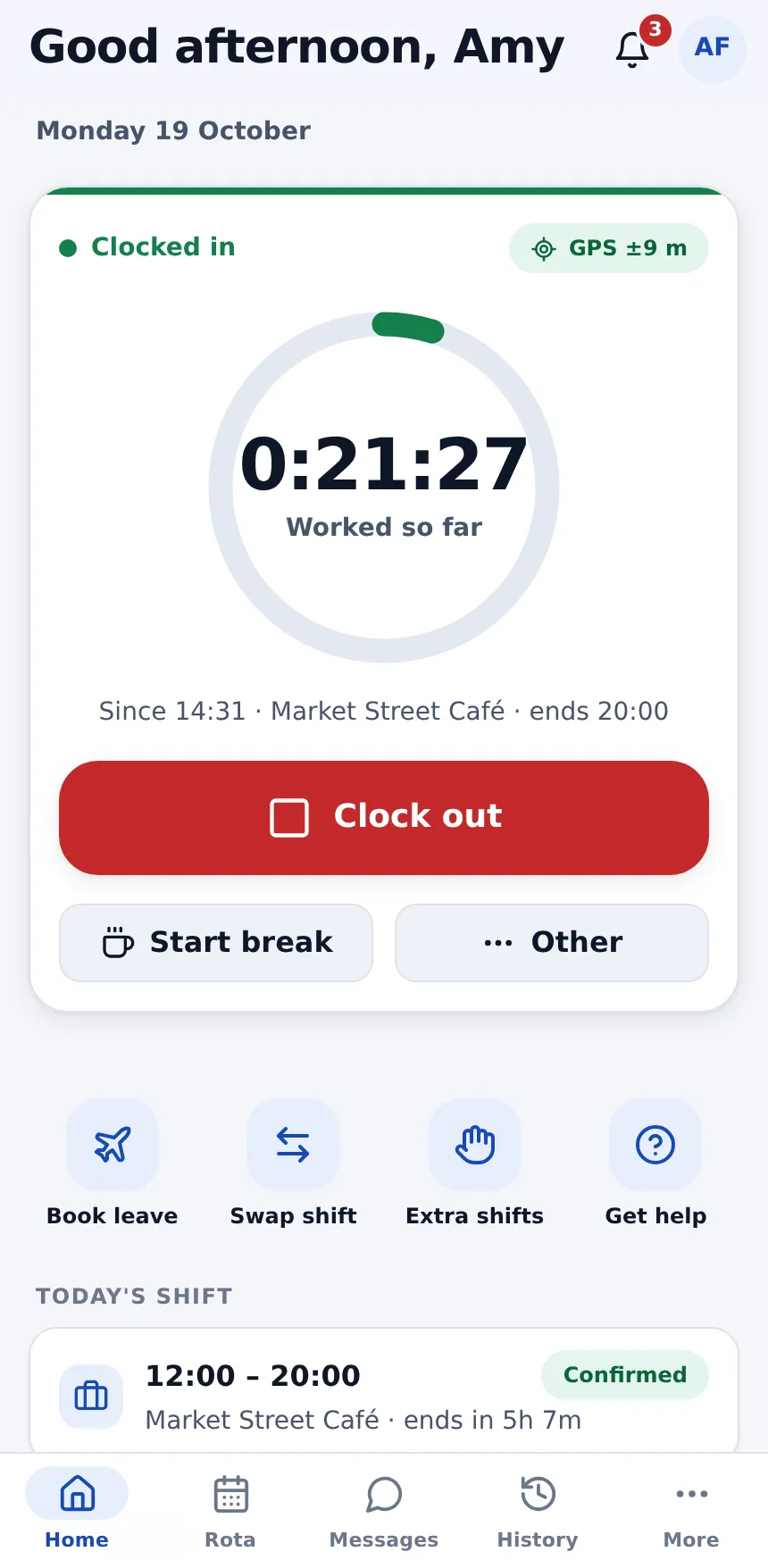
Staff clock in on their own phones. WfMHub can check they're on site, saves the punch on the phone when there's no signal, and turns the day into a timesheet ready to approve.
Accurate hours without the paperwork
No terminals to buy and no paper timesheets to chase.
Offline clocking
Punches are saved on the phone first and sent exactly once, in order, as soon as there's signal. Staff can see anything still waiting to send.
GPS site check
Switch on a GPS check for each site. App clock-ins outside the radius ask for a reason and are flagged to the manager, never blocked.
Optional selfie
Ask for a photo at clock-in always, only off-site, or never. It's never used for face recognition and is deleted after the period you choose.
Late & no-show alerts
After a grace period, the employee and their manager get a push alert, and managers are emailed about no-shows.
Timesheets that build themselves
Clock-ins become timesheets to approve, reject or query, with a map of punches and the original times kept when anything is edited.
Overtime: paid or TOIL
Overtime is worked out beyond the shift, week or month. Choose per day whether it's paid or banked, or let staff pick in the app.
One exceptions queue
Off-site punches, missed clock-outs and late arrivals land in a single list to clear, not scattered across screens.
Ready for payroll
Approved hours become gross pay figures for your payroll provider, or are pushed into Xero Payroll UK from each payroll run.
Breaks & activities
Breaks, lunch, meetings, training and development are timed from the app, so you can see where the day went.
Time & attendance compared
Clocking, timesheets and overtime side by side with the most popular alternatives.
| Feature | atlasHR · WfMHubby SA12 | DeputyShift scheduling | RotaCloudRotas & attendance | PlandayRotas & workforce | ConnecteamFrontline staff app | BrightHRHR software + advice | When I WorkShift scheduling | BreatheSME HR software |
|---|---|---|---|---|---|---|---|---|
| Trial & terms | ||||||||
| Free trial | 14 days, no card | Up to 31 days, no card | 30 days | 30 days, no card | 14 days, no card | No free trial (free Rota Lite) | 14 days, no card | 14 days, no card |
| Contract | Rolling monthly, 30 days' notice | Monthly (£20 minimum) or annual | No contract | Plus: 12 months, auto-renews | Monthly or annual; charged in US$ | 24–60 months, 6 months' notice | Monthly or annual; charged in US$ | Rolling monthly |
| Time & attendance | ||||||||
| Clock in/out on a phone | Included | Included | Paid add-on or higher plan | Included | Included | Included | Paid add-on or higher plan | Paid add-on or higher plan |
| GPS / geofenced clocking | Included | Included | Paid add-on or higher plan | Included | Included | Included | Paid add-on or higher plan | Paid add-on or higher plan |
| Shared kiosk / tablet clock | Not offered | Included | Paid add-on or higher plan | Included | Included | Not published | Paid add-on or higher plan | Paid add-on or higher plan |
| Photo at clock-in | Included | Included | Paid add-on or higher plan | Not published | Included | Not published | Paid add-on or higher plan | Not published |
| Timesheets & approvals | Included | Included | Paid add-on or higher plan | Included | Included | Included | Paid add-on or higher plan | Paid add-on or higher plan |
| Break tracking | Included | Included | Paid add-on or higher plan | Included | Included | Included | Paid add-on or higher plan | Paid add-on or higher plan |
| Overtime | Included | Included | Paid add-on or higher plan | Included | Included | Included | Paid add-on or higher plan | Paid add-on or higher plan |
| Working Time DirectivesRest breaks, 11-hour rest, 48-hour week | Included | Partly / limited | Partly / limited | Included | Partly / limited | Not published | Partly / limited | Not published |
| Holiday & absence | ||||||||
| Time off in lieu (TOIL) | Included | Included | Included | Included | Not published | Included | Not published | Included |
| Payroll | ||||||||
| Payroll software integrationsXero, Sage, QuickBooks and similar | Included | Included | Partly / limited | Included | Partly / limited | Partly / limited | Partly / limited | Partly / limited |
Competitor information comes from each vendor's own website, help centre and price pages, checked on 19/10/2026. Prices are in pounds sterling, excluding VAT; where a vendor only publishes US dollars we converted at the rate shown on its page. "Not published" means we couldn't confirm it either way. Spotted something out of date? Tell us and we'll correct it. Full sources are listed on each comparison page.
Questions about time & attendance
Do we need to buy clocking machines?
What happens if there's no phone signal?
Can you stop people clocking in from home?
Does it run payroll?
Stop chasing timesheets. Start this week.
Start a free trial and have your team set up in minutes, or book a 20-minute demo and we'll show you on your own shift patterns.