
The Planday alternative with no 12-month lock-in.
Planday's leave and document features need its Plus plan: a 12-month contract that renews automatically. WfMHub includes them on a rolling monthly plan, with deeper HR built in.
Similar rotas. Different commitment, deeper HR.
Choose WfMHub if…
- You want to pay monthly with 30 days' notice, not sign for 12 months
- You want performance reviews, disciplinary cases and Bradford Factor built in
- You want offline clocking
- You want weekday UK support included in every plan
Planday may suit you if…
- You use Sage 50 or QuickBooks payroll and want a direct integration
- You want point-of-sale integrations for hospitality forecasting
What switching looks like
- Start a free 14-day trial; no card, every module on
- Import your staff from a CSV export in minutes
- Your trial converts in place: same data, logins and web address
- Rolling monthly once you're live, with 30 days' notice
WfMHub vs Planday: the full comparison
47 features across rotas, time and attendance, leave, HR, payroll and the platform itself.
| Feature | atlasHR · WfMHubby SA12 | PlandayRotas & workforce |
|---|---|---|
| Trial & terms | ||
| Free trial | 14 days, no card | 30 days, no card |
| Contract | Rolling monthly, 30 days' notice | Plus: 12 months, auto-renews |
| Rotas & scheduling | ||
| Drag-and-drop rota builder | Included | Included |
| Rota templates & repeat patterns | Included | Included |
| Open shifts staff can claim | Included | Included |
| Shift swaps | Included | Included |
| Staff availability | Included | Included |
| Labour cost on the rotaSee wage cost as you build the rota | Included | Included |
| Auto-fill / AI scheduling | Paid add-on or higher plan | Included |
| Multiple sites | Included | Included |
| Time & attendance | ||
| Clock in/out on a phone | Included | Included |
| GPS / geofenced clocking | Included | Included |
| Shared kiosk / tablet clock | Not offered | Included |
| Photo at clock-in | Included | Not published |
| Timesheets & approvals | Included | Included |
| Break tracking | Included | Included |
| Overtime | Included | Included |
| Working Time DirectivesRest breaks, 11-hour rest, 48-hour week | Included | Included |
| Holiday & absence | ||
| Holiday requests & approvals | Included | Included |
| UK bank holidays built in | Included | Included |
| Pro-rata entitlements | Included | Included |
| Time off in lieu (TOIL) | Included | Included |
| Sickness recording | Included | Included |
| Bradford Factor | Included | Not published |
| Return-to-work forms | Included | Not published |
| Core HR | ||
| Employee records | Included | Included |
| Employee self-service | Included | Included |
| Onboarding | Included | Partly / limited |
| Document storage | Included | Included |
| E-signatures | Paid add-on or higher plan | Included |
| Contract & letter templates | Included | Included |
| Performance reviews | Included | Partly / limited |
| Training & certificate tracking | Included | Partly / limited |
| Expenses | Included | Not published |
| Recruitment / careers page | Included | Not published |
| Disciplinary & grievance cases | Included | Not published |
| Right-to-work checks | Included | Partly / limited |
| Announcements & team chat | Included | Included |
| Reports & analytics | Included | Included |
| Payroll | ||
| Built-in UK payroll (PAYE/RTI) | Not offered | Not offered |
| Payroll software integrationsXero, Sage, QuickBooks and similar | Included | Included |
| Platform & support | ||
| iPhone app | Included | Included |
| Android app | Included | Included |
| UK/EU data hosting | Included | Included |
| Two-factor sign-in | Included | Included |
| Single sign-on | Included | Included |
| Open API | Included | Included |
| Multiple companies / agencies | Included | Partly / limited |
| White-label branding | Included | Not published |
Competitor information comes from each vendor's own website, help centre and price pages, checked on 19/10/2026. Prices are in pounds sterling, excluding VAT; where a vendor only publishes US dollars we converted at the rate shown on its page. "Not published" means we couldn't confirm it either way. Spotted something out of date? Tell us and we'll correct it. Full sources are listed on each comparison page.
Where Planday is strong
- Deep scheduling and time-tracking toolset on every plan: drag-and-drop rota, templates, open shifts, swaps, Punch Clock with geofencing and kiosk, working-time rule warnings. [source]
- Automated scheduling: Auto-schedule on Pro plus AI/agentic auto-schedule and intelligent shift assignment betas on Plus/Pro. [source]
- Labour cost control: wages visible while scheduling, POS revenue import, staff cost as % of revenue and per-cost-centre budgets. [source]
- Strong security credentials: ISO 27001:2022, ISAE 3000 SOC 2 Type II, Cyber Essentials; EU hosting on Microsoft Azure. [source]
- Wide UK integration ecosystem (Xero - same parent group, Sage 50, QuickBooks Online, BrightPay, Lightspeed, Square, Personio, HiBob, BambooHR). [source]
Common themes in Planday reviews
- Lock-in: Plus and Pro require a 12-month auto-renewing term with at least 1 month's notice and no mid-term cancellation; no annual billing option. [source]
- Extra costs on top of per-user fees: £30/month Plus subscription fee, per-SMS charges, paid onboarding, product training at £125 + VAT/hour, user billing in bundles of 5. [source]
- No built-in UK payroll; Statutory Sick Pay is not supported and pay calculations must be done outside Planday. [source]
- Limited HR depth: no native performance reviews, recruitment/ATS, Bradford Factor, return-to-work or case management found; leave management, documents and e-signature require Plus or above. [source]
- Phone support only as a call-back service on the Pro plan; Starter gets chat/help centre only, email from Plus. [source]
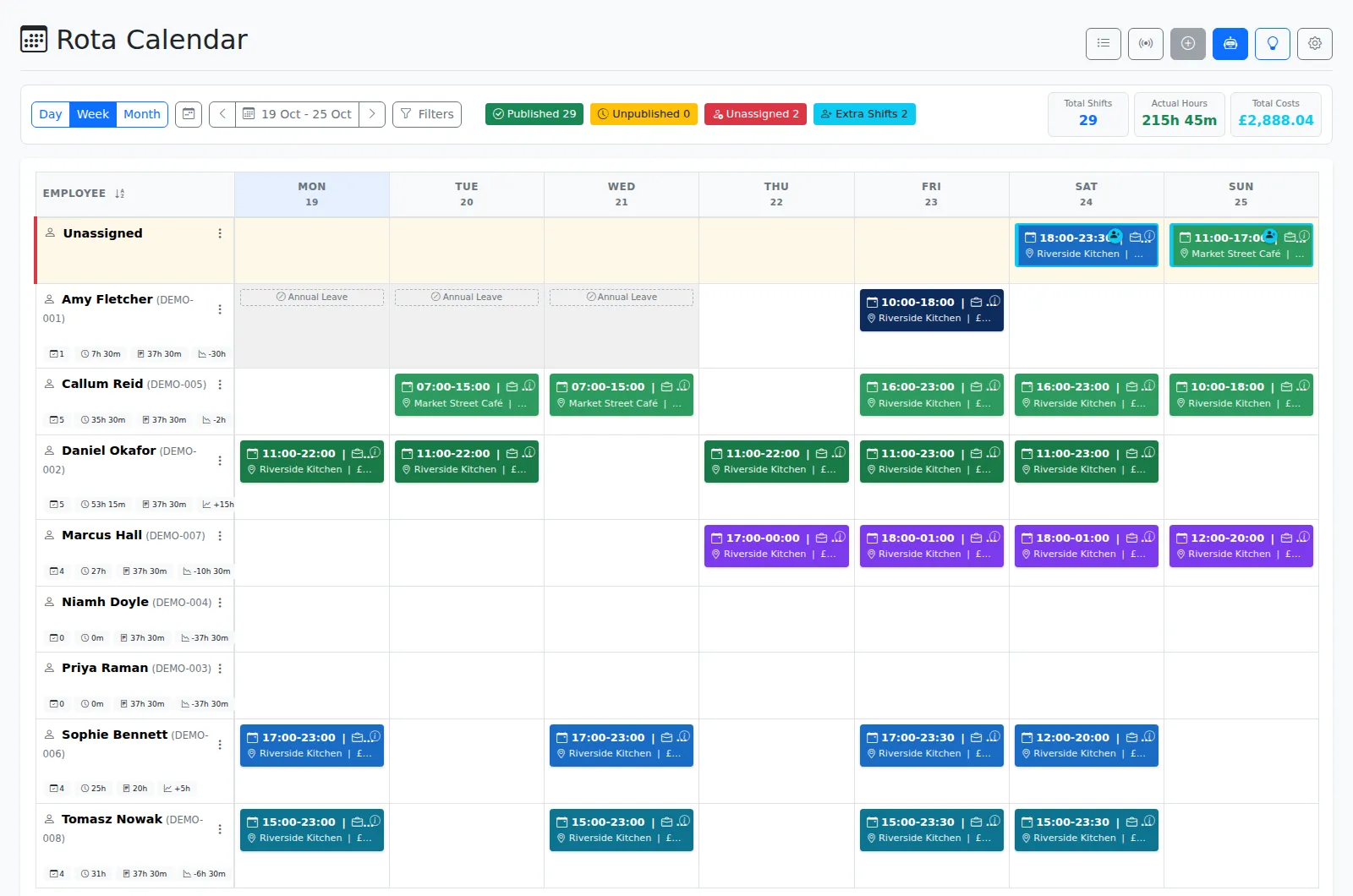
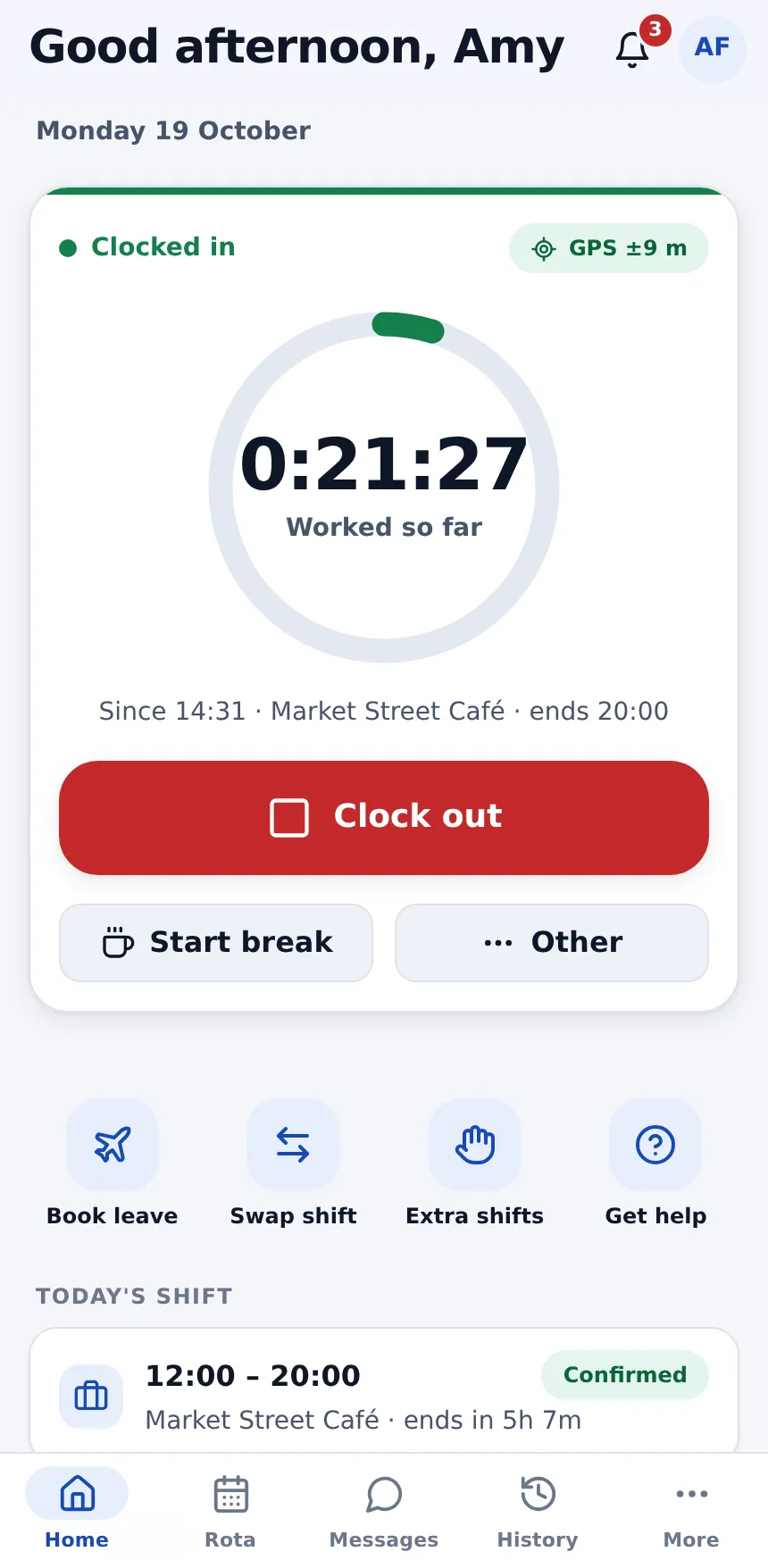
The rota you want, the HR you need
Planday's leave, documents and e-signatures need Plus: a per-user price plus £30 a month, minimum 10 users, on a 12-month contract that auto-renews. Our research found no performance review or recruitment module, and training costs £125 an hour.
WfMHub includes the rota, clocking, leave, documents, performance and disciplinary in one plan, on a rolling monthly contract.
WfMHub vs Planday: your questions
How is pricing different?
Can I cancel Planday mid-term?
Does WfMHub integrate with payroll?
How do I move from Planday?
Rotas and HR, month to month. Try it free.
Start a free trial and have your team set up in minutes, or book a 20-minute demo and we'll show you on your own shift patterns.
Sources for Planday (checked 19/10/2026)
Everything we say about Planday comes from the pages below. Vendors change their plans; if anything here is out of date, email info@sa12.co.uk and we'll fix it. Planday is a trademark of its owner; SA12 is not affiliated with it.
- https://apps.apple.com/gb/app/planday-employee-scheduling/id518598166
- https://apps.apple.com/gb/app/planday-kiosk-app/id6737229448
- https://brandfolder.xero.com/YP89N00Y/as/j3tbhf8hgrmc7s3qp38bc8/Data_Security_UK.pdf
- https://brandfolder.xero.com/YP89N00Y/at/kgrcm484mphp7fb7s67j9h/Planday_DPA_VERSION_23_September_2026docx.pdf
- https://capterra.co.uk/reviews/145648/planday
- https://help.planday.com/en/articles/101819-planday-integrations-availability-by-market
- https://help.planday.com/en/articles/121023-planday-training-overview
- https://help.planday.com/en/articles/140752-punch-clock-faqs-and-troubleshooting-for-admins
- https://help.planday.com/en/articles/203779-how-to-set-up-the-uk-2024-accrual-method
- https://help.planday.com/en/articles/205797-how-to-track-employee-retention-in-planday
- https://help.planday.com/en/articles/220661-prorated-fixed-leave-accounts
- https://help.planday.com/en/articles/238468-how-to-manage-sick-leave-in-planday
- https://help.planday.com/en/articles/30209-supported-devices-ios
- https://help.planday.com/en/articles/30210-supported-devices-android
- https://help.planday.com/en/articles/30211-how-to-cancel-your-planday-subscription
- https://help.planday.com/en/articles/30245-how-to-create-a-contract-template
- https://help.planday.com/en/articles/30253-how-to-add-and-share-notes-or-files-with-employees
- https://help.planday.com/en/articles/30308-brightpay-integration-import-payslips-into-planday
- https://help.planday.com/en/articles/30353-employee-management-in-planday-explained
- https://help.planday.com/en/articles/30359-how-to-deactivate-or-reactivate-employees-in-planday
- https://help.planday.com/en/articles/30399-open-shifts-shift-requests-and-shift-swaps-for-schedule-managers
- https://help.planday.com/en/articles/30402-how-to-use-open-api-to-integrate-with-planday
- https://help.planday.com/en/articles/30403-how-to-set-up-single-sign-on-sso-in-planday
- https://help.planday.com/en/articles/30408-generate-reports-in-planday
- https://help.planday.com/en/articles/30423-create-and-use-schedule-templates
- https://help.planday.com/en/articles/30439-how-to-use-the-auto-schedule-tool-pro-plan-only
- https://help.planday.com/en/articles/30445-how-to-set-up-and-use-skills
- https://help.planday.com/en/articles/30451-set-up-punch-clock-for-use-via-the-planday-app
- https://help.planday.com/en/articles/30466-planday-kiosk-setup-guide-for-ipads-and-tablets
- https://help.planday.com/en/articles/30471-how-to-set-up-working-time-rules
- https://help.planday.com/en/articles/30476-how-to-set-up-automatic-or-manual-breaks
- https://help.planday.com/en/articles/30530-how-to-create-a-bank-holiday-calendar
- https://help.planday.com/en/articles/30535-leave-management-explained
- https://help.planday.com/en/articles/30614-toil-management-explained
- https://help.planday.com/en/articles/364552-introduction-to-the-planday-plus-plan
- https://help.planday.com/en/articles/365163-introduction-to-the-planday-starter-plan
- https://help.planday.com/en/articles/365221-introduction-to-the-planday-pro-plan
- https://help.planday.com/en/articles/381180-planday-trial-plan-faqs-and-troubleshooting
- https://help.planday.com/en/articles/462216-punch-clock-introduction
- https://help.planday.com/en/articles/517298-use-planday-chat-to-message-your-team
- https://help.planday.com/en/articles/621960-product-updates-winter-and-spring-2026
- https://help.planday.com/en/articles/67176-invoices-and-billing-faqs-and-troubleshooting
- https://help.planday.com/en/articles/67177-supported-payment-options-in-planday
- https://help.planday.com/en/articles/760172-how-to-generate-a-schedule-automatically-with-the-new-auto-schedule-beta-plus-pro
- https://help.planday.com/en/articles/776347-notifications-hub-manage-alerts-and-reminders
- https://help.planday.com/en/articles/92280-how-to-enable-multi-factor-authentication-mfa-in-planday
- https://openapi.planday.com/
- https://play.google.com/store/apps/details?id=com.planday.kioskapp
- https://play.google.com/store/apps/details?id=com.planday.ninetofiveapp
- https://uk.trustpilot.com/review/planday.com
- https://www.capterra.com/p/145648/Planday/reviews/
- https://www.g2.com/products/planday/reviews
- https://www.planday.com/legal
- https://www.planday.com/uk/contact/
- https://www.planday.com/uk/how-it-works/app/
- https://www.planday.com/uk/how-it-works/communication/
- https://www.planday.com/uk/how-it-works/compliance/
- https://www.planday.com/uk/how-it-works/compliance/security/
- https://www.planday.com/uk/how-it-works/integrations/
- https://www.planday.com/uk/how-it-works/integrations/quickbooks-online/
- https://www.planday.com/uk/how-it-works/integrations/sage/
- https://www.planday.com/uk/how-it-works/integrations/xero/
- https://www.planday.com/uk/how-it-works/reporting/revenue-forecast/
- https://www.planday.com/uk/how-it-works/reporting/staff-costs/
- https://www.planday.com/uk/how-it-works/scheduling/
- https://www.planday.com/uk/how-it-works/scheduling/employee-availability/
- https://www.planday.com/uk/how-it-works/staff-management/document-management/
- https://www.planday.com/uk/how-it-works/staff-management/employee-development/
- https://www.planday.com/uk/how-it-works/staff-management/hris/
- https://www.planday.com/uk/how-it-works/staff-management/organisational-structure/
- https://www.planday.com/uk/how-it-works/time-tracking/overtime/
- https://www.planday.com/uk/how-it-works/time-tracking/timesheets/
- https://www.planday.com/uk/pricing/